
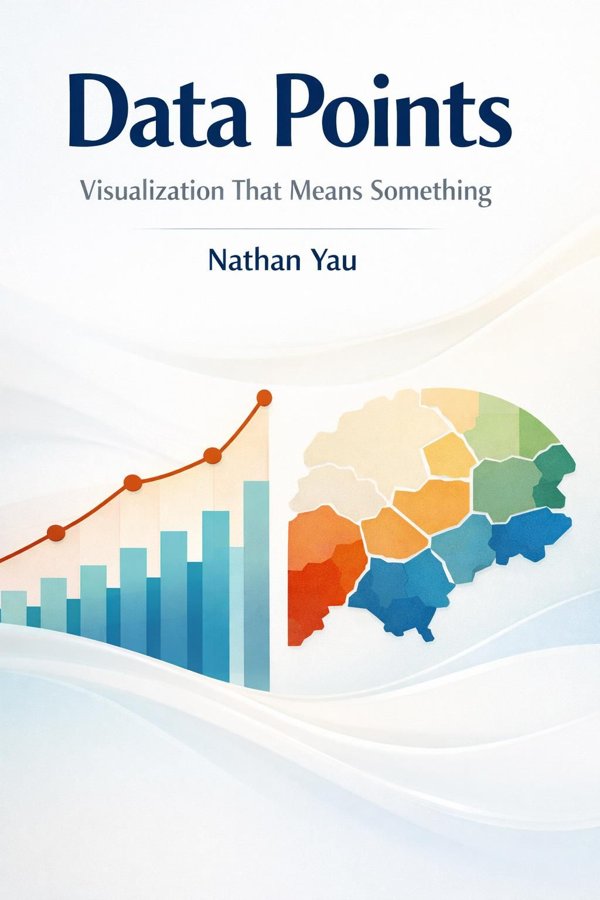
Data Points: Visualization That Means Something: Summary & Key Insights
by Nathan Yau
 10 min9 chaptersAudio available
Key Takeaways from Data Points: Visualization That Means Something
A chart succeeds or fails long before anyone reads the labels.
Every useful visualization starts with a question about the data itself.
Data does not become understandable merely because it appears on a screen.
The biggest danger in visualization is not ugliness but distortion.
A visualization that works perfectly in one setting can fail completely in another.
What Is Data Points: Visualization That Means Something About?
Data Points: Visualization That Means Something by Nathan Yau is a data_science book spanning 8 pages. Data visualization sits at the intersection of analysis, design, and storytelling, and Nathan Yau’s Data Points: Visualization That Means Something shows why that intersection matters. This book is not simply a catalog of charts or a software manual. It is a thoughtful guide to turning raw numbers into visual forms that help people understand patterns, make decisions, and see the world more clearly. Yau argues that a good visualization does more than display information accurately; it reveals meaning. That means understanding both the structure of data and the way human perception works, then combining those insights with sound design choices and narrative intent. The result is visualization that informs rather than confuses, and persuades through clarity rather than decoration. Yau writes with unusual authority because he brings together the mindsets of statistician, designer, and practitioner. As the creator of FlowingData and a leading voice in data communication, he draws from real examples across charts, maps, and interactive graphics. For analysts, journalists, designers, students, and curious readers, this book offers a practical framework for making data not just visible, but truly understandable.
This FizzRead summary covers all 9 key chapters of Data Points: Visualization That Means Something in approximately 10 minutes, distilling the most important ideas, arguments, and takeaways from Nathan Yau's work. Also available as an audio summary and Key Quotes Podcast.
Data Points: Visualization That Means Something
Data visualization sits at the intersection of analysis, design, and storytelling, and Nathan Yau’s Data Points: Visualization That Means Something shows why that intersection matters. This book is not simply a catalog of charts or a software manual. It is a thoughtful guide to turning raw numbers into visual forms that help people understand patterns, make decisions, and see the world more clearly. Yau argues that a good visualization does more than display information accurately; it reveals meaning. That means understanding both the structure of data and the way human perception works, then combining those insights with sound design choices and narrative intent. The result is visualization that informs rather than confuses, and persuades through clarity rather than decoration. Yau writes with unusual authority because he brings together the mindsets of statistician, designer, and practitioner. As the creator of FlowingData and a leading voice in data communication, he draws from real examples across charts, maps, and interactive graphics. For analysts, journalists, designers, students, and curious readers, this book offers a practical framework for making data not just visible, but truly understandable.
Who Should Read Data Points: Visualization That Means Something?
This book is perfect for anyone interested in data_science and looking to gain actionable insights in a short read. Whether you're a student, professional, or lifelong learner, the key ideas from Data Points: Visualization That Means Something by Nathan Yau will help you think differently.
- ✓Readers who enjoy data_science and want practical takeaways
- ✓Professionals looking to apply new ideas to their work and life
- ✓Anyone who wants the core insights of Data Points: Visualization That Means Something in just 10 minutes
Want the full summary?
Get instant access to this book summary and 100K+ more with Fizz Moment.
Get Free SummaryAvailable on App Store • Free to download
Key Chapters
A chart succeeds or fails long before anyone reads the labels. The first thing people notice in a visualization is not the exact data value but the visual pattern: contrast, position, size, direction, grouping, and outliers. Yau emphasizes that effective visualization begins with perception because people do not experience charts as neutral containers of facts. They experience them through the shortcuts and biases of the visual system. We naturally compare lengths more accurately than areas, and we recognize clusters or anomalies before we read a legend. This is why a simple bar chart often communicates more clearly than a decorative bubble chart, even when both contain the same information.
Understanding perception helps explain why some graphics mislead without intending to. If colors are too similar, categories blend together. If labels compete with shapes, attention gets fragmented. If the most important pattern is buried in a noisy layout, viewers may miss the point entirely. On the other hand, when visual hierarchy is handled well, the eye moves naturally to what matters most.
Think of a public health dashboard. If rising infection rates are shown with weak contrast and cluttered annotations, users may struggle to grasp urgency. If the same data is presented with clean alignment, a limited color palette, and clear emphasis on trend lines, understanding comes much faster.
The takeaway is simple: design for the way people actually see, not for the way you wish they would. Before choosing visual flourishes, ask what viewers will notice first, what they will compare next, and whether that path leads them to the intended insight.
Every useful visualization starts with a question about the data itself. Before selecting a chart type, Yau urges readers to understand what kind of information they are working with and what relationships they want to reveal. Is the data categorical, such as product types or survey responses? Quantitative, such as sales figures or temperatures? Time-based, showing change across days, months, or years? Geographic, tied to locations? The structure of the data determines what comparisons make sense and what visual forms will be effective.
This matters because chart choice is not primarily a design decision; it is an analytical one. If you want to compare discrete categories, bars may be best. If you want to show a trend over time, a line chart may be more appropriate. If you are exploring relationships between two continuous variables, a scatterplot can reveal correlation, clusters, or unusual points. If location is central to the question, a map may add vital context.
For example, imagine a school district analyzing student performance. If administrators want to compare average scores across schools, a ranked bar chart works well. If they want to see whether attendance correlates with grades, a scatterplot is more revealing. If they want to understand regional disparities, a geographic view may be useful.
Yau’s deeper point is that understanding data means knowing not just its format but its meaning, limitations, and potential pitfalls. Missing values, skewed distributions, and misleading averages all shape what can be shown honestly.
Actionable takeaway: before sketching any visualization, list the variable types, define the main analytical question, and identify the relationship you want viewers to see. Let the data’s structure guide the design.
Data does not become understandable merely because it appears on a screen. It becomes understandable when abstract values are translated into visual encodings that the brain can interpret quickly and accurately. Yau explores the core encodings of visualization: position, length, angle, area, color, and shape. These are the building blocks through which numbers and categories are turned into points, bars, lines, and symbols.
Not all encodings are equally powerful. Position on a common scale is generally the easiest for viewers to compare, which is why aligned bar charts and scatterplots are so effective. Length is also strong, while angle and area are harder to judge precisely. This explains why pie charts can be less clear than bar charts when many categories or close values are involved. Color is useful for grouping or emphasis, but it is often weaker for exact comparison unless used carefully.
Consider a newsroom graphic showing budget changes across government departments. A horizontal bar chart allows viewers to compare increases and cuts with minimal effort because lengths share a baseline. If the same data were encoded as circles of different sizes, interpretation would become slower and more error-prone.
Yau also shows that meaning comes from combinations of encodings. In a scatterplot, position may show two variables while color distinguishes groups and size adds a third dimension. But each added encoding increases cognitive load. More is not always better.
The practical lesson is to match the encoding to the task. If your audience needs precise comparison, prioritize position and length. If you need categorical differentiation, use color or shape sparingly and consistently. Design each visual element with a clear job, and remove any encoding that does not improve understanding.
The biggest danger in visualization is not ugliness but distortion. Yau makes the case that clarity depends on disciplined choices that preserve the truth of the data while reducing confusion. A graphic can be technically accurate yet still misleading if scales are truncated, proportions are exaggerated, labels are ambiguous, or unnecessary decoration distracts from the message. Good visualization is therefore an ethical act as much as a design act.
This is especially important because viewers often trust charts more than text. A misleading axis can inflate a small change into a dramatic story. A confusing legend can hide important differences. Too many colors, 3D effects, or decorative icons may attract attention while undermining comprehension. Yau argues for restraint: simplify the form so the data can speak without visual noise.
Imagine a business presentation showing quarterly revenue growth. If the y-axis starts at a high value instead of zero, the increase may appear explosive even when it is modest. In a political context, the same tactic can sway opinion unfairly. By contrast, a clean chart with clearly marked scales and direct labels allows viewers to judge the numbers for themselves.
Clarity also means deciding what not to include. A chart overloaded with every possible metric often communicates less than a chart focused on one key comparison. Removing gridlines, decorative backgrounds, or redundant legends can make the signal easier to see.
Actionable takeaway: after creating a chart, audit it for anything that could exaggerate, obscure, or distract. Ask whether the design helps viewers understand the data honestly and quickly. If an element serves style but not meaning, cut it.
A visualization that works perfectly in one setting can fail completely in another. Yau stresses that design is never universal because charts are interpreted by specific people, in specific contexts, for specific reasons. A graphic for trained analysts can assume more statistical fluency than one meant for the general public. A mobile dashboard must work under tighter spatial constraints than a printed report. A chart created for exploration differs from one created for persuasion or explanation.
This idea shifts the focus from what a chart can show to what an audience needs to see. If you are designing for executives, they may want a concise summary and a few key indicators rather than dense exploratory graphics. If you are creating for scientists, precision, uncertainty, and methodological detail may matter more. If you are publishing for broad audiences, labels and framing become essential because viewers may not share the same background knowledge.
Context also shapes interpretation. A graph shown during a crisis may be read with urgency. The same graph in an academic paper may be read more slowly and critically. Even surrounding text or headlines can influence what viewers believe the chart is saying.
For example, an unemployment chart for policymakers might highlight demographic breakdowns and trend shifts over time. For the public, the same topic might require a simpler graphic explaining what unemployment actually measures before presenting the trend.
The practical takeaway is to define audience, purpose, and setting before refining the final design. Ask: who is this for, what decision or understanding should it support, and under what conditions will it be read? A meaningful visualization is not only accurate; it is fit for the people and moment it serves.
Every chart type tells a different kind of story. Yau shows that visualization is not about picking the most attractive form but the form best suited to the insight you want to communicate. Bar charts excel at comparing categories. Line charts show change over time. Scatterplots reveal relationships and outliers. Maps connect information to place. Small multiples help viewers compare repeated patterns across groups. The question is never simply, “What chart can I make?” but “What relationship am I trying to make visible?”
The storytelling dimension matters because data rarely speaks with one voice. The same dataset can support multiple narratives depending on what is emphasized. A housing dataset, for example, could become a line chart showing price changes over time, a map showing neighborhood differences, or a scatterplot showing the relationship between size and cost. Each view highlights a different truth.
Yau encourages intentionality in this choice. A map may feel compelling, but if geographic location is not central to the question, it may add little. Likewise, a line chart may imply continuity when the data is actually irregular or categorical. Choosing the wrong form can send the viewer toward the wrong interpretation.
In journalism, this principle is especially powerful. A story about migration may require both a map for destination patterns and a line chart for changes over years. In business, product performance may be clearer in small multiples than in one overloaded dashboard.
Actionable takeaway: define the main sentence your chart should express, then select the chart type that makes that sentence easiest to see. If the story changes when you change the chart, examine which version best serves the underlying question.
Static graphics explain; interactive graphics can invite discovery. Yau highlights how interactivity transforms visualization from a one-way presentation into a space for exploration. Filters, hover details, zooming, sorting, animation, and linked views allow users to ask their own questions of the data. Instead of receiving one fixed narrative, they can investigate patterns at different levels of detail and according to their own interests.
This can be incredibly valuable when datasets are too large or complex for a single static image. A city transit dashboard, for instance, might let users filter by route, time of day, or delay type. A health data tool could allow comparisons across age groups or regions. Interactivity helps people move from overview to detail without overwhelming them all at once.
But Yau also warns that interactivity is not automatically meaningful. Too many controls can confuse users. Animation can entertain while obscuring comparison. Hidden information behind hover states may never be seen by many viewers. The best interactive designs preserve the strengths of static clarity while adding flexible access to more data.
A strong interactive visualization usually answers three layers of need: it gives an immediate overview, supports focused comparison, and offers deeper detail on demand. This structure respects both casual viewers and expert users.
The practical lesson is to use interactivity with purpose. Add it when it helps users explore complexity, personalize the view, or access detail progressively. Do not add interactive features just to seem modern. Start with a strong static core, then ask which interactions truly improve understanding and which merely add friction.
Meaningful visualization is rarely created in one inspired leap. Yau presents it as a workflow: collect data, clean it, analyze it, sketch possibilities, refine the visual form, and test whether the result communicates what you intended. This process matters because many visualization problems are not design problems at all. They begin upstream in messy data, unclear questions, or weak analysis.
Data cleaning is often the hidden foundation. Inconsistent categories, missing values, duplicate records, and incorrect units can all distort the picture before design even starts. Then comes exploration: looking for patterns, distributions, outliers, and comparisons worth showing. Only after this analytical groundwork should design decisions become final.
Sketching and iteration are also central to Yau’s approach. The first chart idea is often not the best one. By trying multiple forms, you can discover which view reveals the strongest insight. Feedback helps too. A chart that seems obvious to its creator may confuse someone seeing the data for the first time.
Consider a nonprofit analyzing donation patterns. The initial idea might be a pie chart of donor segments. After exploring the data, a time series may reveal seasonal spikes, and a cohort view may show that retention matters more than donor mix. The final visualization becomes more useful because the workflow allowed the question to evolve.
Actionable takeaway: treat visualization as a process, not a final ornament. Build a repeatable workflow that includes cleaning, exploration, multiple design drafts, and user feedback. If a chart is not communicating well, step back to the data and question rather than polishing the surface.
People rarely remember isolated numbers, but they do remember stories. One of Yau’s most important contributions is his insistence that visualization should not merely display information but help audiences grasp why it matters. Narrative does not mean forcing drama onto data. It means arranging evidence so viewers can follow a coherent line of thought from observation to meaning.
A good data story often begins with a question, tension, or surprising contrast. It guides attention toward what is unusual, important, or consequential. Annotations, sequencing, titles, captions, and selective emphasis all help shape that journey. Without narrative framing, a chart may be accurate yet forgettable. With too much framing, it can feel manipulative. The challenge is to provide enough context that the insight becomes visible without overwhelming the audience with interpretation.
For example, a visualization of rising rents becomes more powerful when paired with context about wages, neighborhood change, or commuting patterns. The chart alone may show increase; the narrative helps explain consequence. In a newsroom or policy report, this connection between pattern and implication is what turns data into action.
Yau’s broader point is that meaning comes not only from visual form but from editorial choices. What question is being answered? What baseline should viewers care about? What sequence best reveals the insight? These decisions are as important as chart type or color palette.
The practical takeaway is to write the story in one or two sentences before finalizing the chart. Then use titles, annotations, and emphasis to make that story legible. A chart should not just show data; it should help viewers understand why the data matters.
All Chapters in Data Points: Visualization That Means Something
About the Author
Nathan Yau is an American statistician, data visualization designer, and author known for helping broad audiences make sense of data. He is the founder of FlowingData, a widely read site dedicated to charts, graphics, and the stories hidden in numbers. Yau studied statistics and has built a reputation for combining analytical rigor with accessible visual communication. His work bridges technical analysis, design thinking, and storytelling, making him one of the most influential popular voices in data visualization. He is the author of Visualize This and Data Points, books that have introduced many readers to practical and thoughtful approaches to working with data. Through his writing, examples, and visual projects, Yau has helped shape how analysts, journalists, designers, and everyday readers understand what effective data communication looks like.
Get This Summary in Your Preferred Format
Read or listen to the Data Points: Visualization That Means Something summary by Nathan Yau anytime, anywhere. FizzRead offers multiple formats so you can learn on your terms — all free.
Available formats: App · Audio · PDF · EPUB — All included free with FizzRead
Download Data Points: Visualization That Means Something PDF and EPUB Summary
Key Quotes from Data Points: Visualization That Means Something
“A chart succeeds or fails long before anyone reads the labels.”
“Every useful visualization starts with a question about the data itself.”
“Data does not become understandable merely because it appears on a screen.”
“The biggest danger in visualization is not ugliness but distortion.”
“A visualization that works perfectly in one setting can fail completely in another.”
Frequently Asked Questions about Data Points: Visualization That Means Something
Data Points: Visualization That Means Something by Nathan Yau is a data_science book that explores key ideas across 9 chapters. Data visualization sits at the intersection of analysis, design, and storytelling, and Nathan Yau’s Data Points: Visualization That Means Something shows why that intersection matters. This book is not simply a catalog of charts or a software manual. It is a thoughtful guide to turning raw numbers into visual forms that help people understand patterns, make decisions, and see the world more clearly. Yau argues that a good visualization does more than display information accurately; it reveals meaning. That means understanding both the structure of data and the way human perception works, then combining those insights with sound design choices and narrative intent. The result is visualization that informs rather than confuses, and persuades through clarity rather than decoration. Yau writes with unusual authority because he brings together the mindsets of statistician, designer, and practitioner. As the creator of FlowingData and a leading voice in data communication, he draws from real examples across charts, maps, and interactive graphics. For analysts, journalists, designers, students, and curious readers, this book offers a practical framework for making data not just visible, but truly understandable.
You Might Also Like
Data Science from Scratch: First Principles with Python
Joel Grus
10 min
Applied Predictive Modeling
Max Kuhn, Kjell Johnson
10 min
Better Data Visualizations: A Guide for Scholars, Researchers, and Wonks
Jonathan Schwabish
10 min
Big Data: A Revolution That Will Transform How We Live, Work, and Think
Viktor Mayer-Schönberger, Kenneth Cukier
10 min
Big Data: Principles and Best Practices of Scalable Real-Time Data Systems
Nathan Marz
10 min
Data Visualisation: A Handbook for Data Driven Design
Andy Kirk
10 minBrowse by Category
Ready to read Data Points: Visualization That Means Something?
Get the full summary and 100K+ more books with Fizz Moment.